
Analyze Drafts Without a Plugin
Open the extension as a lightweight side panel inside the post editor. Get SEO checklist scores, meta suggestions, keyword analysis, and document outline — without adding another WordPress plugin.
SEOVault AI's Chrome extension opens as a side panel inside WordPress so you can analyze drafts, generate missing sections, inject improvements, and keep working where you already write.
Open any WordPress post, launch the extension panel, and work on your draft without leaving the editor. Analyze, generate, inject — all from one side panel.
The extension is built for writers and publishers who want to stay in the editor and get things done without switching tabs or installing heavy plugins.
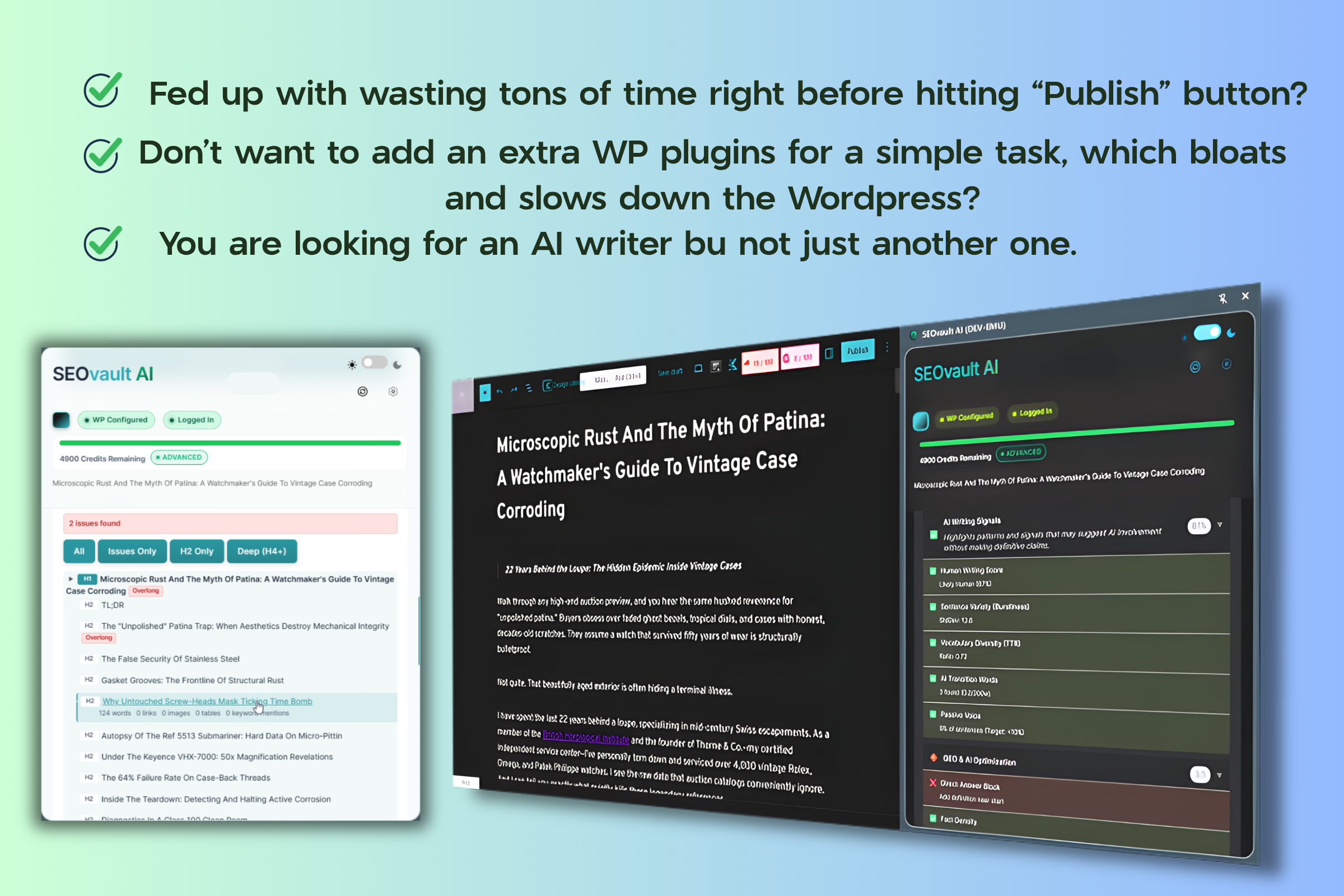
Open the extension as a lightweight side panel inside the post editor. Get SEO checklist scores, meta suggestions, keyword analysis, and document outline — without adding another WordPress plugin.
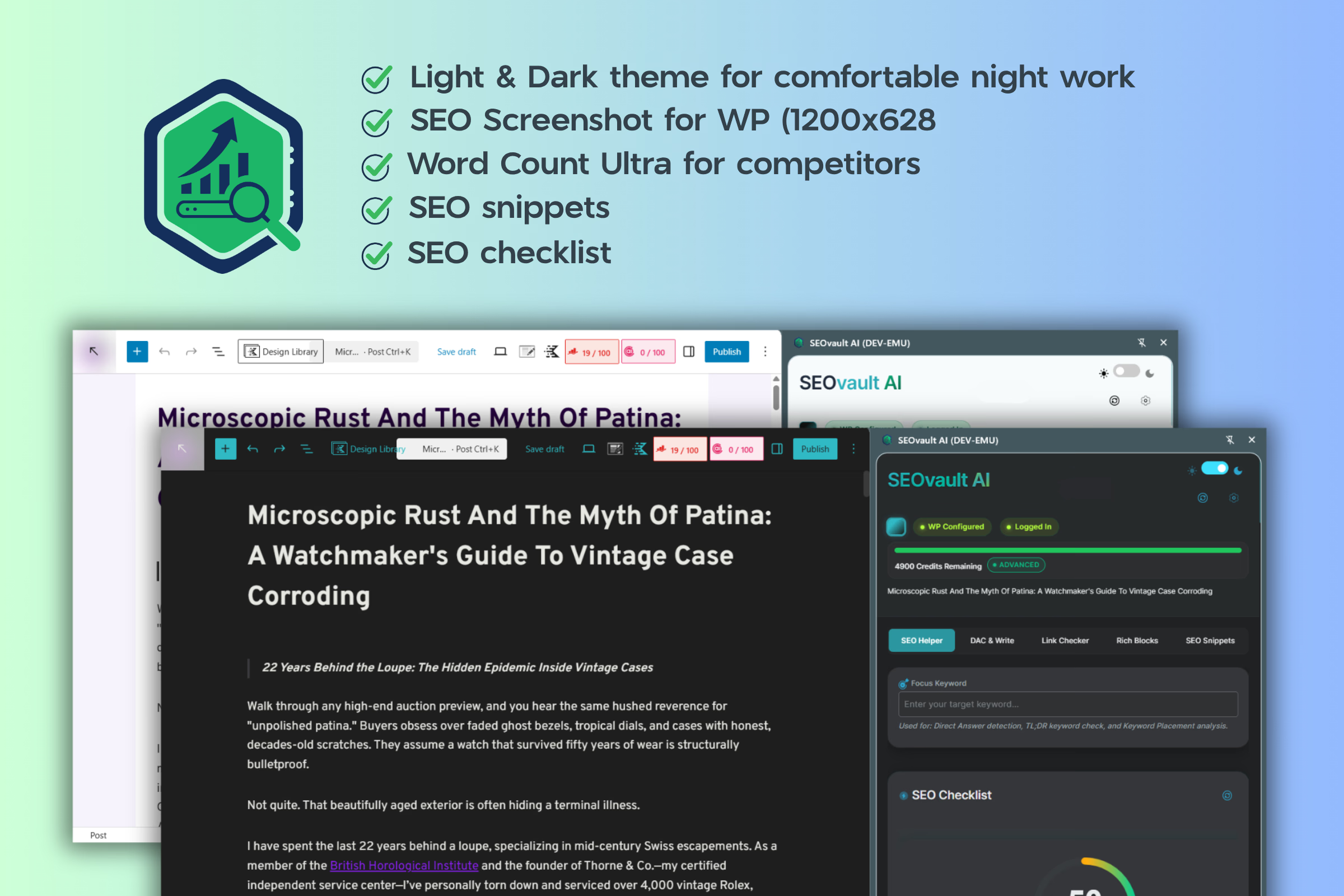
Darken the WordPress editor area so you can focus entirely on your words. Zen Mode removes visual noise and helps you write without distractions.
Generate titles, meta descriptions, TL;DR sections, FAQs, tables of contents, and optimized content — then inject them directly into your draft with one click.
Right-click on any element on any webpage to capture a 1200x628 screenshot (WordPress post image size) and copy to clipboard. Select text and get detailed word count, reading score, and link analysis.
Save research highlights from any webpage, write notes, and organize your SEO research. Import and export all snippets at once. Stored locally in your browser — your data never leaves your machine.
Generate long-form content using presets built for real publishing scenarios — how-to guides, listicles, comparisons, reviews, buyer's guides, case studies, and more. Include your brand voice with the brand kit feature.
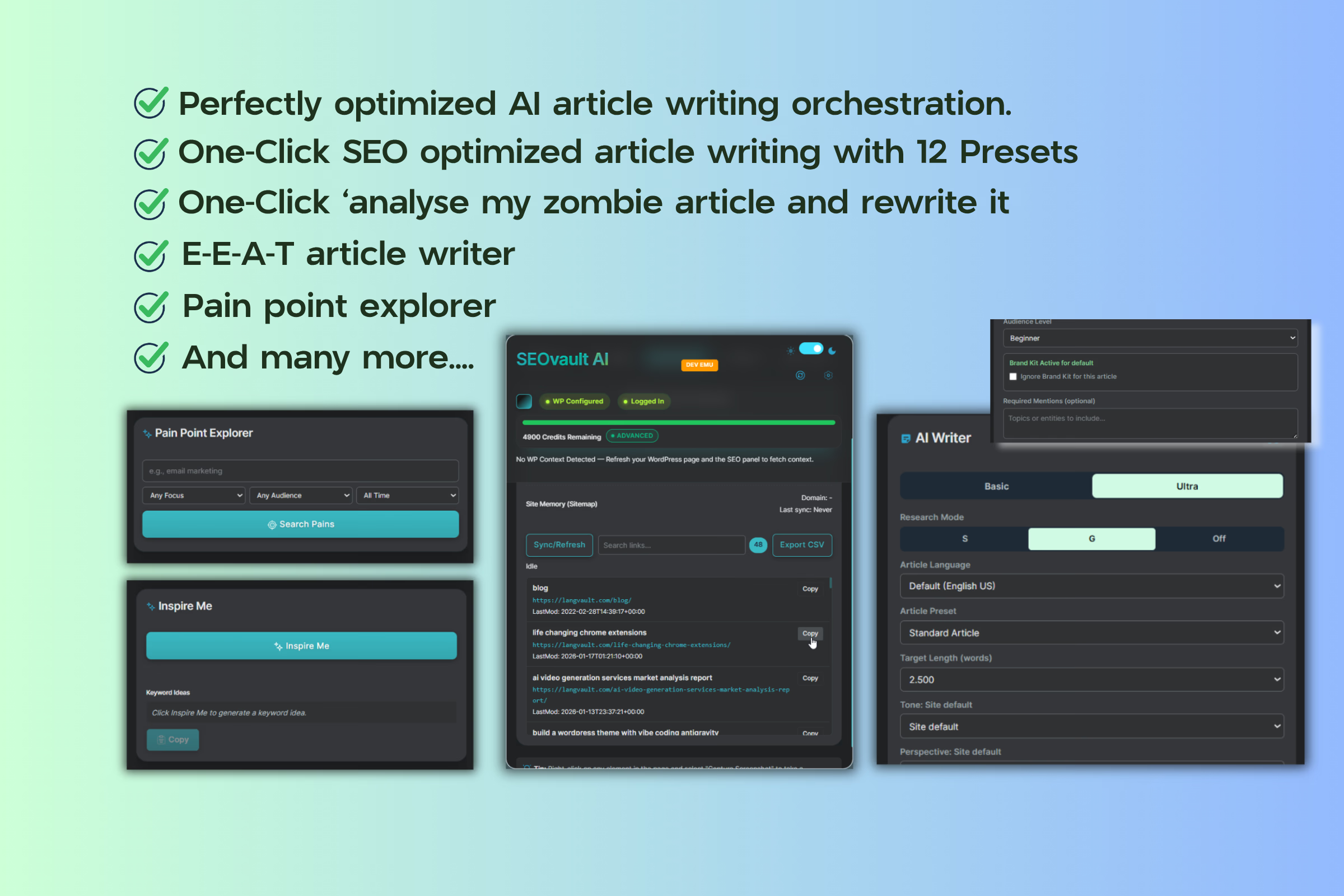
These tools are built specifically for the in-browser, in-editor workflow and are not available in the web app.
Darken the WordPress editor with Zen Mode for distraction-free writing. Switch between light and dark extension themes for comfortable work sessions.
Save research from any webpage into your local SEO Snippets notepad. Right-click to capture 1200x628 screenshots, run word count analysis, and send highlighted text to your snippets — all without leaving the page.
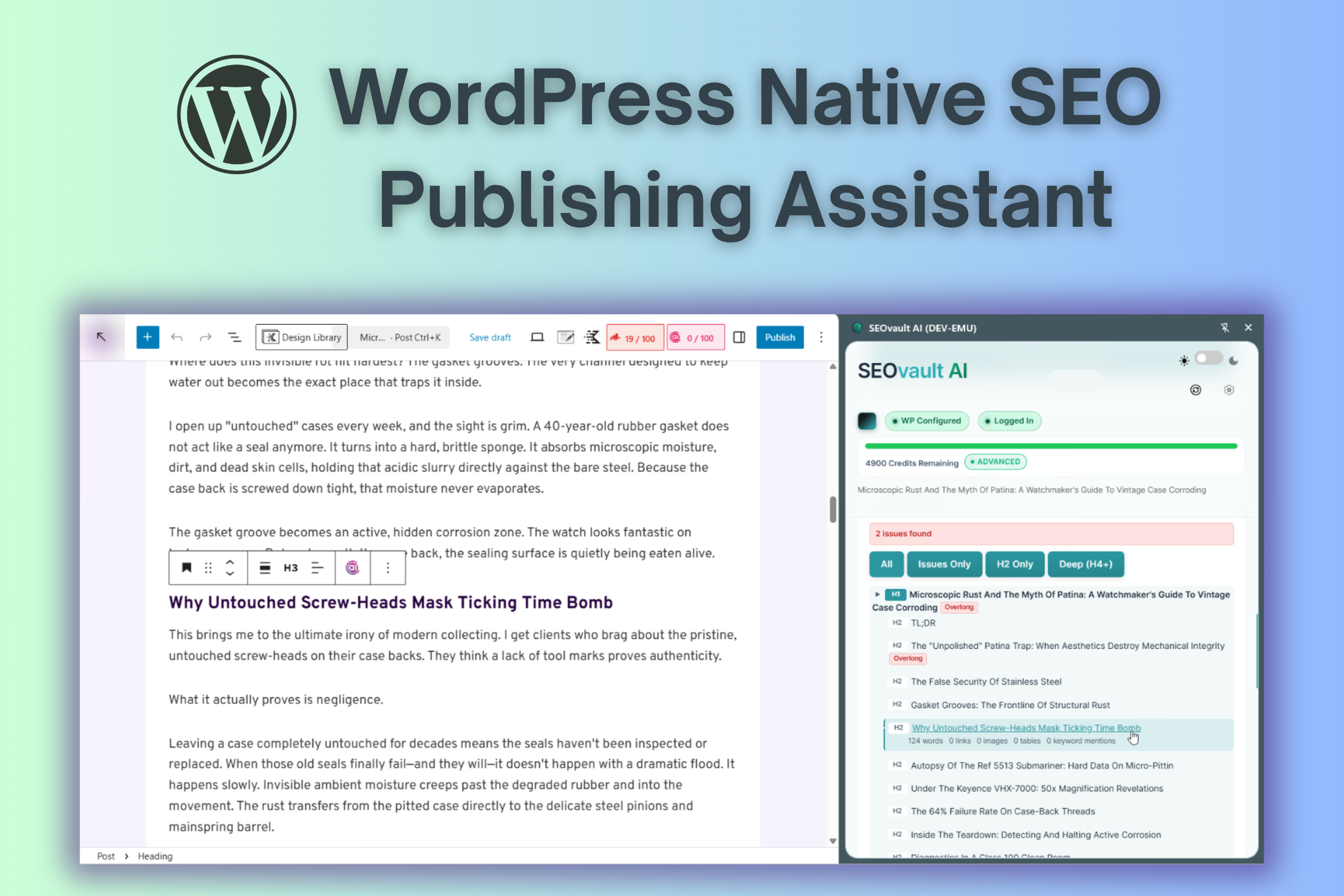
The Chrome extension reads your draft directly from the Gutenberg editor. No connector plugin, no extra database queries, no performance impact on your WordPress site. Install the extension, open a post, and start working.
No WordPress plugin required. Works directly inside the Gutenberg editor. Start free with 50 credits.