
SEO Checklist & Score Overview
Get a speedometer-style SEO score for your draft with a clear checklist of passing and failing items.
Extension + Web AppSEOVault AI combines a Chrome extension and a web app built for WordPress publishing. Most core features are shared across both, while each surface includes unique tools for different workflows.
Every feature is tagged so you know exactly where it works. Most features are available in both the extension and web app.
Analyze your WordPress drafts for SEO health, readability, and optimization opportunities — directly inside the editor or from the web app dashboard.
Get a speedometer-style SEO score for your draft with a clear checklist of passing and failing items.
Extension + Web AppAI-generated meta title and description suggestions with one-click injection into your draft or SEO plugin fields.
Extension + Web AppAI-generated focus keyword and semantic/LSI keyword suggestions based on your draft content.
Extension + Web AppNavigate your article structure visually. See headings, detect thin sections, and click to jump directly to any part of your draft.
Extension + Web AppDetect and evaluate the TL;DR section of your draft — placement, quality, and keyword usage.
Extension + Web AppTitle length, keyword placement, content depth, internal links, and Flesch reading ease scoring.
Extension + Web AppDirect answer block readiness, fact density, scannable structure, and quotable segment analysis.
Extension + Web AppFirst-hand experience signals, author byline checks, authority links, original images, and content freshness scoring.
Extension + Web AppHuman writing score, sentence variety (burstiness), vocabulary diversity (TTR), AI transition words, and passive voice detection.
Extension + Web App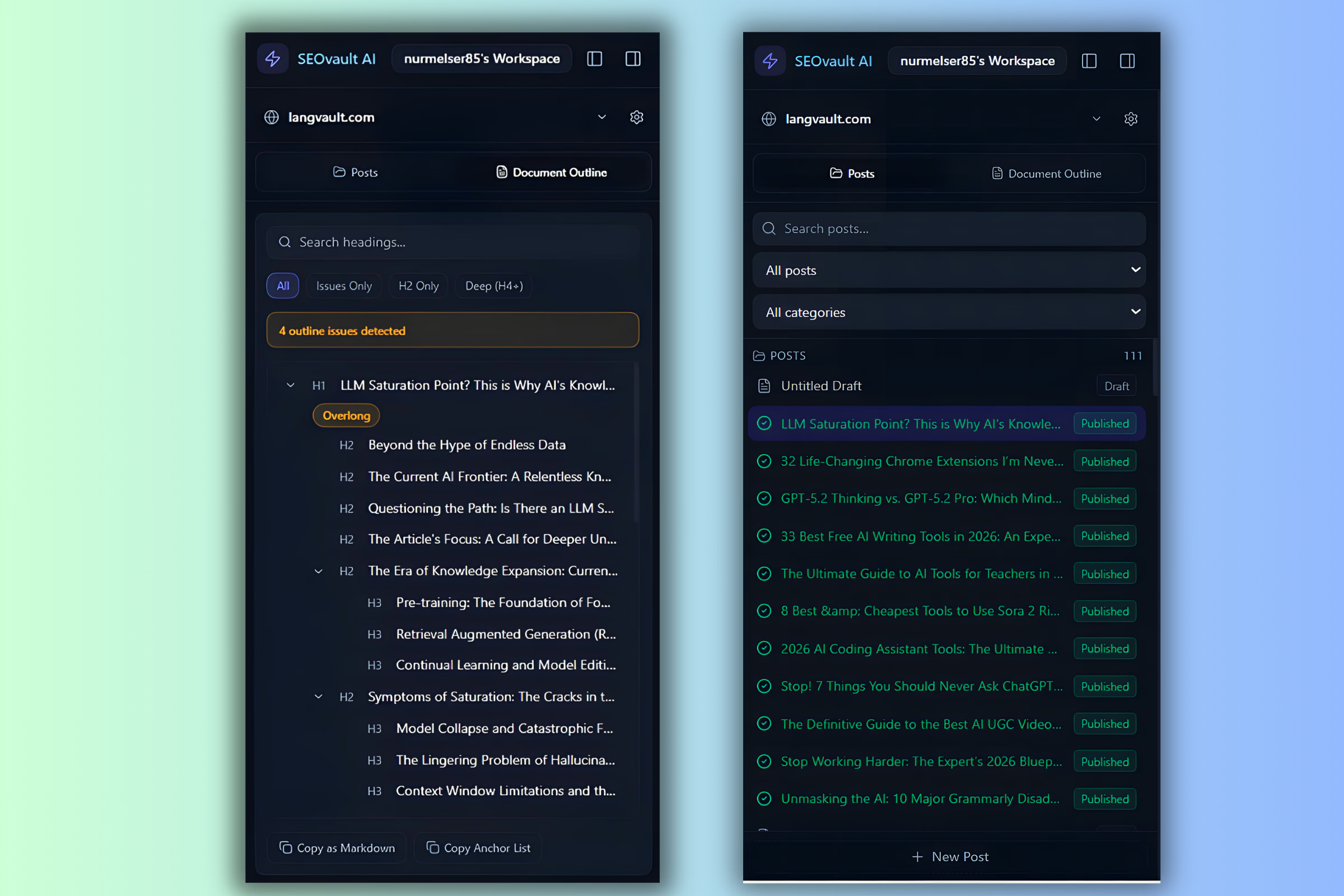
Generate, write, rewrite, and humanize content using AI-powered features built for real WordPress publishing scenarios.
AI-generated TL;DR section based on your draft and focus keyword.
Extension + Web AppAI-generated FAQ section with 5 questions and answers, injectable directly into your draft.
Extension + Web AppGenerate a styled table of contents from your headings with theme selection (glassmorphism, minimal, dark, cyberpunk, classic).
Extension + Web AppHighlight AI-generated text and humanize it to sound more natural. One-click injection back into your draft.
Extension + Web AppEnter a focus keyword and the AI writes a long-form SEO-optimized article.
Extension + Web AppGenerate long-form content with full control: language, preset, target length, tone, perspective, audience level, and brand kit. Presets include how-to guides, listicles, comparisons, reviews, buyer's guides, explainers, opinion pieces, case studies, custom templates, and more.
Extension + Web AppTrain the AI on your unique brand voice. Fill in brand details or provide up to 3 example articles for the AI to analyze and match your writing style.
Extension + Web AppCreate and save your own article templates for reuse with Ultra Writer.
Extension + Web AppFill in fields about your personal experience and the AI crafts an article around your expertise and first-hand knowledge.
Extension + Web AppChoose light, medium, or heavy rewrite modes to refresh old or underperforming content without starting from scratch.
Extension + Web AppEnter a problem phrase and the AI searches forums and Reddit for real pain points. Turn any problem into an article outline and then a full article.
Extension + Web AppAI researches your focus keyword using real-time search data and writes a long-form SEO-optimized article.
Extension + Web AppAI analyzes your site's sitemap and the web to recommend 3 content gap opportunities for your niche.
Extension + Web AppBuild stronger internal links, find broken links, and improve your site structure with dedicated linking tools.
Highlight text and search for web, .edu, .gov, or internal sources using Google search operators.
Extension + Web AppGenerate and browse your sitemap URLs. Search and copy links for use as internal references in your drafts.
Extension + Web AppScan your WordPress site for broken internal links. Web app version also checks external links via Cloudflare Workers.
Extension + Web AppHighlight text in your draft and get AI-powered internal link suggestions from your existing posts. One-click injection.
Web App OnlySelect a post, scan your entire site for linking opportunities, and auto-inject internal links across multiple posts.
Web App OnlyWhen no exact phrase match exists for autolinking, the AI rewrites the target sentence to include a natural exact-match anchor.
Web App OnlyTransform plain content into visually stronger sections — tables, cards, sliders, and charts — without manual coding.
Select a table or text in your draft and convert it into a beautifully styled table with theme selection (minimal, neon, dark, stripe, wp-safe).
Extension + Web AppConvert tabular data into mobile-friendly card layouts for better readability on small screens.
Extension + Web AppCreate interactive before/after or A/B comparison sliders from your content data.
Extension + Web AppTurn data into clean, styled bar chart visualizations for your posts.
Extension + Web AppWhen there's no existing table to convert, the AI reasons through your plain text and generates a structured, styled table.
Extension + Web AppUtilities that make your day-to-day publishing work faster, more organized, and easier to manage across sites and teams.
Darken the WordPress editor area for distraction-free writing. Focus entirely on your words.
Extension OnlySwitch between light and dark themes in the extension for comfortable reading and writing.
Extension OnlyA notepad built for SEO research. Save highlights from any webpage, write notes, and import/export all snippets at once. Stored locally in your browser.
Extension OnlyCapture any element on any webpage as a 1200x628 screenshot and copy it to your clipboard — ready to paste into your WordPress post.
Extension OnlySelect text on any page and get word count, character count, sentence stats, Flesch reading score, link counts, and a word cloud of most-used terms.
Extension OnlyAll generated articles and edits are securely saved to the cloud. Never lose a draft.
Web App OnlyConnect and manage multiple WordPress sites from a single dashboard. Switch between sites from the dropdown menu.
Web App OnlyInvite editors and writers as team members with defined roles. Collaborate on content before publishing to WordPress.
Web App OnlyPreview your draft and save it directly to your connected WordPress site from the web app editor.
Web App OnlyBrowse all your WordPress posts in the left pane, select one to edit in the central rich text editor, or create a new post.
Web App Only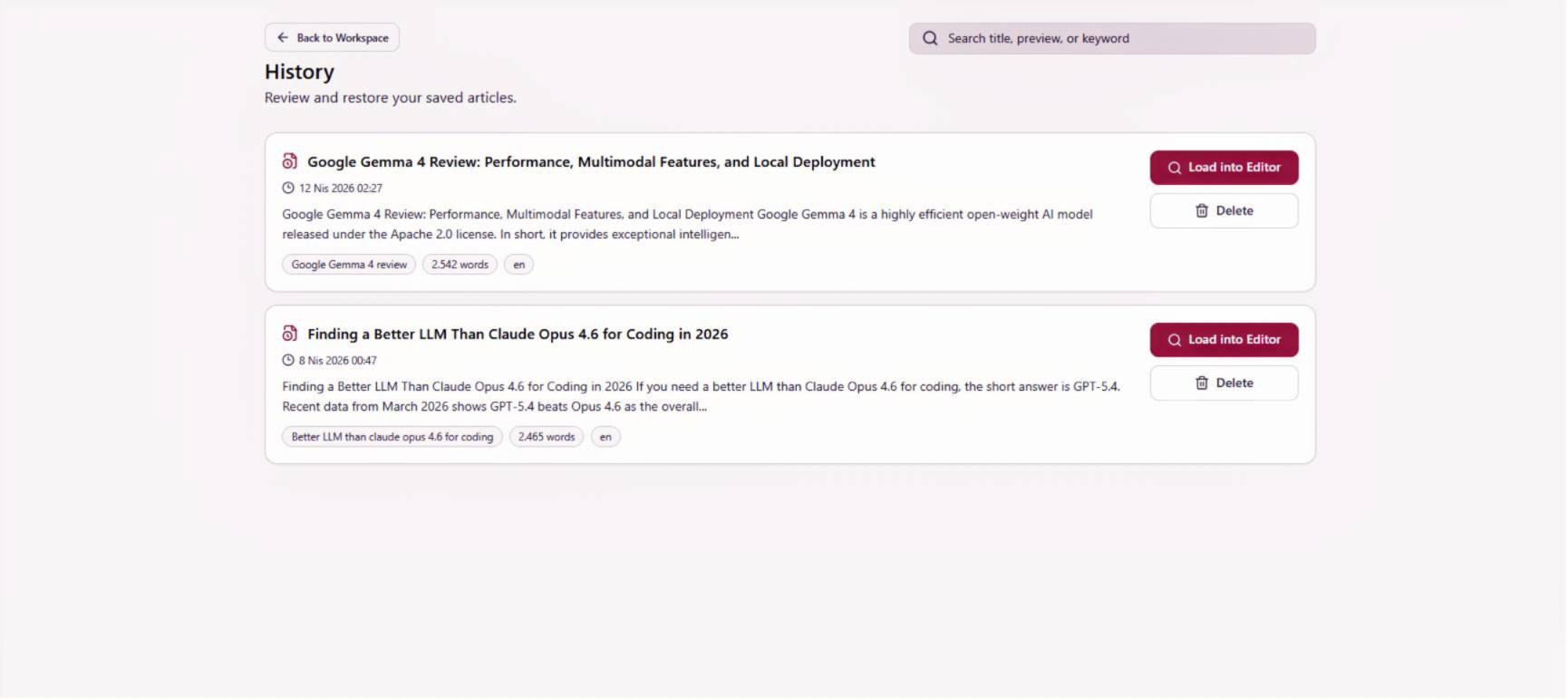
Test the features that matter most to your WordPress publishing workflow, then upgrade when you need more.